
PinterestLifestyle
4.2705.50K Reviews
- Version
- Varies With Device
- Installs
- 1.00B
- Age Rating
- Teen
Screenshots



Our Review of Pinterest
 Analysis by Appyee
When I want to collect ideas without turning every passing thought into a shopping list, I find Pinterest useful: it works like a visual scrapbook for recipes, rooms, projects, outfits, and places I might want to revisit. The important distinction is that saving an image is not the same as having a plan. I get the most from it when I arrive with a question—how to arrange a small entryway, say—and leave with a handful of references I can actually compare.
What I trust, and what I keep in mind
Pinterest is a free lifestyle app developed by Pinterest. Its scale is considerable: it has passed a billion installs, and its average rating is 4.3 from around 11 million ratings, with roughly 703,000 written reviews. That helps explain why searches cover so many interests, but popularity is not a guarantee that every Pin is accurate, current, or useful. I treat the app as a place to discover ideas, not as an authority on health, safety, product quality, or professional advice.
The service has been around since August 14, 2012, so it is familiar territory for people who like saving visual references. It is free to download, is rated Teen, and offers in-app purchases priced from $5.88 to $41.17 per item. Those details are worth knowing if you are deciding whether to use it casually or let it become part of a regular planning routine. I would not assume that a visually appealing post is an endorsement or a promise about what will happen if I copy it.
For trust, I focus on what I can see and choose rather than guessing about background data practices or permissions. Before I sign in or share anything, I would read the prompts shown in the app, check the account and privacy choices that are actually available to me, and decide whether the convenience is worth the information I choose to provide. Those decisions matter more than a polished feed. If I am only browsing, I keep my activity deliberate; if I save personal plans, I think about who might see the boards or content I share.
Finding, saving, and using ideas with care
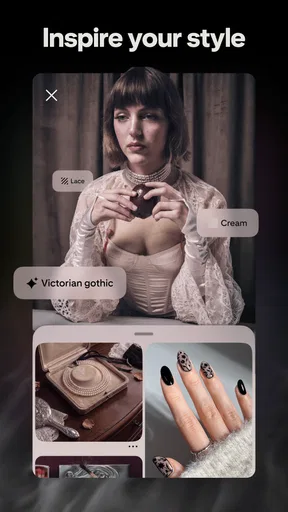
When I first opened Pinterest, I was immediately greeted by a visually stunning home feed filled with everything from DIY crafts to travel destinations. It’s like the internet's best ideas condensed into one app. The more you use it, the more it tailors content to your tastes, thanks to its clever algorithm.
That feed is a convenient starting point, but I would not leave it to decide what I should see. A useful habit is to move from casual browsing to a specific search as soon as I know what I need. For a home project, I might search for a room size, material, or style rather than saving every attractive interior. Then I can compare a few approaches and notice whether a Pin leads to a detailed source or stops at an image. That small check prevents a collection from becoming a pile of appealing pictures with no practical instructions.
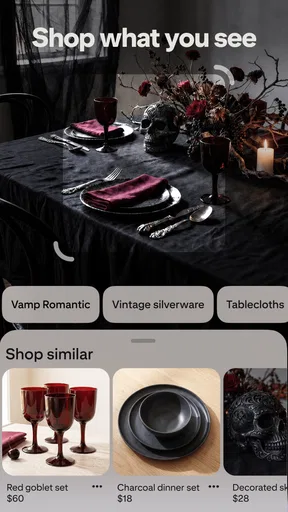
The visual format is a real strength when words alone make a choice hard. I can scan color palettes, plating ideas, garden layouts, or clothing combinations faster than I can work through a long list of text results. But images often hide the details that determine whether an idea will work: dimensions, cost, materials, accessibility, or the skill required. I use Pins to shortlist possibilities, then seek the instructions or original context before buying supplies or attempting something that could affect my home or wellbeing.
Getting Started with Boards and Pins
Now, the fun really starts when you begin creating your own boards. Imagine having personalized collections for your favorite topics. Each item you save on Pinterest is called a "Pin," and you can organize these Pins into different boards. For instance, I have boards for home decor, workout routines, and mouth-watering recipes. Trust me, once you start pinning, it’s hard to stop!
My practical tip is to give boards a job, not just a broad topic. A board called “kitchen ideas” can become difficult to use once it mixes lighting, storage, recipes, and paint colors. Splitting a project into “small kitchen storage” and “warm cabinet colors,” for example, makes later decisions easier. I also find it useful to save a few contrasting options rather than collecting only one look; that makes it clearer what I actually prefer when I return to the board.
Boards can serve as working notes, not just mood boards. For a weekend meal plan, I might gather recipes, then check the original instructions and make my grocery list elsewhere. For a room refresh, I can keep layout inspiration separate from furniture and lighting references. This division is especially helpful because a Pin is a visual bookmark, not necessarily a complete checklist or a reliable record of the details I will need later.
There is a trade-off: collecting feels productive even when it postpones a decision. When a board grows, I periodically remove ideas that no longer fit and keep the few that answer the question I started with. If I am planning a purchase, I note the actual dimensions and requirements outside the image collection rather than trusting myself to remember them. That simple workflow turns inspiration into something I can act on, while reducing the chance that I confuse a pretty reference with a workable plan.
Social Features and Connectivity
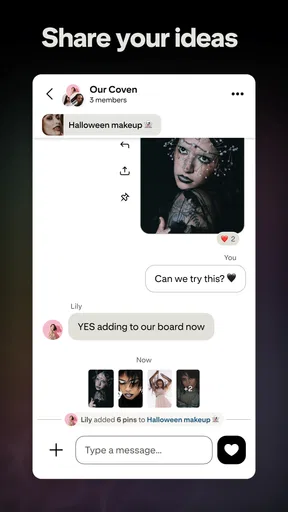
Pinterest isn't just about collecting ideas; it's also about sharing them. You can follow other users, comment on Pins, and even collaborate on boards with friends. It’s a social network, but without the pressure of likes and shares. More about the inspiration, less about the competition, right?
Shared planning is where those social options can be useful: friends preparing a trip, family members gathering renovation ideas, or roommates comparing ways to organize a shared space can keep references together. I would still agree on what the board is for before everyone adds Pins. Otherwise, the collection can drift from practical choices into unrelated inspiration, and it becomes harder to tell which ideas are serious contenders.
Sharing also changes the privacy context. Before adding other people or posting a board, I would check the audience and settings presented for that action instead of assuming that every saved collection is private or public. I avoid putting sensitive plans, identifying details, or anything I would not want circulated into a shared space. The useful rule is straightforward: use collaboration for ordinary ideas, and pause whenever the content itself would be uncomfortable outside the intended group.
Design, search, and the limits of discovery
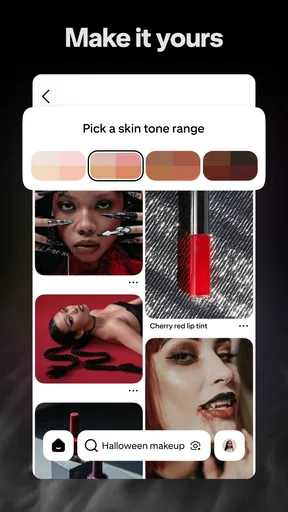
The app's design is sleek and intuitive. With a minimalist layout, it focuses on what matters most—the content. Navigation is a breeze, and the search function is impressively powerful. Whether you're searching for "minimalist home office" or "vegan dessert recipes," Pinterest delivers results that are both relevant and visually appealing.
Search works best for me when I add constraints that describe the real problem: a narrow room, a beginner-friendly method, a particular ingredient, or a specific style. Broad searches can be enjoyable, but they often produce a feed of attractive variations that do not answer the practical question. I also look for useful context beyond the picture. If a recipe Pin does not lead to clear instructions, or a craft idea omits the materials, I treat it as a prompt to investigate rather than a ready-to-follow guide.
That distinction matters when results touch on health, exercise, repairs, or food safety. A compelling image can make a recommendation look more credible than it is. I would check relevant details with a dependable source before acting, especially when a mistake could cause harm or waste money. Pinterest is better at showing what an idea might look like than proving that it is safe, effective, or suitable for my circumstances.
Compared with ordinary web search, Pinterest makes visual comparison and saving more central, which suits planning and inspiration. A search engine is usually the better first stop when I need a direct answer, a current fact, or an authoritative source. Compared with a notes app, Pinterest is more visual and easier for collecting references, but notes are better for measurements, decisions, and task lists. I see the app as one part of a workflow rather than a replacement for those tools.
Everyday planning, and when I would choose something else
A realistic use is planning a modest living-room refresh. I might save a few examples of compact shelving, choose a small group of colors, and compare lighting ideas. Before spending, I would measure the wall, check product dimensions and costs from their actual sources, and discard Pins that only look right in a much larger room. The app helps me clarify the look I want; it cannot tell me whether an item fits my space or budget.
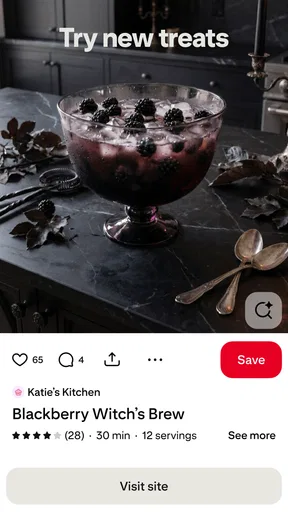
For dinner, I can gather recipe ideas while commuting or taking a break, then select one and verify its ingredients and directions before cooking. For a trip, I can collect places and visual references, but I would use a map and current travel information to make the actual route. In each case, the most useful result is not the biggest board. It is a short collection that helps me make the next decision without pretending to replace the details that decision depends on.
Pinterest is a good fit for people who think visually, enjoy browsing, or regularly plan projects that benefit from examples. It can also suit a small business owner or blogger who wants to present work in a visual format. But I would not treat it as a guaranteed source of visitors or sales; reaching an audience takes more than saving attractive images, and business outcomes depend on factors outside the app. For people who need a private task manager, precise research, or a chronological conversation, a dedicated alternative will usually be clearer.
It may also be the wrong choice for someone who finds endless visual browsing distracting. The same ease that makes saving enjoyable can encourage collecting without follow-through. If that sounds familiar, I would set a narrow purpose before opening the app and stop once I have enough options. Someone who wants quick, definitive answers may be better served by a search engine; someone organizing detailed project steps may prefer a document or checklist. Pinterest is strongest when inspiration is the starting point, not the entire process.
Using Pinterest for Business
Now, if you're a business owner or blogger, Pinterest can be a game-changer. With its massive user base, it’s a fantastic platform for driving traffic to your website. Many brands use Pinterest to showcase their products and reach new audiences. It’s like having a visual portfolio at your fingertips.
I would approach business use as a way to organize and present visual ideas, not as a promise of traffic. A useful board should make the subject easy to understand and keep related work together; a visitor should be able to tell what the images are about without guessing. I would also check that I have the right to share any images or materials I post and make sure that claims attached to a product or service are accurate. Clear presentation builds more confidence than a crowded collection.
There is a practical distinction between personal inspiration and business communication. A personal board can be messy and exploratory; a public-facing collection benefits from a consistent purpose and careful choices about what it represents. If I were using the app for a business, I would assess whether the audience I want actually uses visual discovery and whether I can maintain useful, accurate content. If my customers need detailed support or immediate conversation, another channel may serve them better.
A cautious verdict for the right kind of user
In conclusion, Pinterest is more than just an app; it's a gateway to a world of endless inspiration. Whether you're looking to explore new hobbies or need a creative boost, Pinterest is your go-to app. So why not give it a try? You might just find your next big idea!
My recommendation is a little more specific: try it if collecting and comparing images helps you think, but use it with a small purpose and a clear stopping point. I would keep account and sharing decisions intentional, verify important instructions elsewhere, and avoid treating a Pin as proof. That approach preserves what I like about the app—the quick visual spark—without asking it to do the work of research, budgeting, or decision-making that belongs somewhere else.
Privacy and Permissions
See what permissions an app requests and how it handles your data.
- Identity
- find accounts on the device, read your own contact card
- Contacts
- find accounts on the device, read your contacts
- Location
- approximate location (network-based), precise location (GPS and network-based)
- Photos/Media/Files
- read the contents of your USB storage, modify or delete the contents of your USB storage
- Storage
- read the contents of your USB storage, modify or delete the contents of your USB storage
- Camera
- take pictures and videos
- Microphone
- record audio
- Wi-Fi connection information
- view Wi-Fi connections
- Other
- view network connections, full network access, control Near Field Communication, run at startup, set wallpaper, use accounts on the device, control vibration, prevent device from sleeping, read Google service configuration
Verdict
Strengths of Pinterest
- Extensive collection of creative ideas.
- User-friendly interface and navigation.
- Great for organizing inspiration boards.
- Personalized content recommendations.
- Seamless integration with other platforms.
Limitations of Pinterest
- Requires internet connection to browse.
- Can be overwhelming with too much content.
- Ads can be intrusive at times.
- Limited offline functionality.
- Some features locked behind sign-up.
Similar Picks in This Category
View All
SmartThings
Samsung Electronics Co., Ltd.4.6

Google Home
Google LLC4.0

Astrotalk - Talk to Astrologer
Astrology & Horoscope4.7

My Verizon
Verizon Consumer Group4.5

Samsung Wallet (Samsung Pay)
Samsung Electronics Co., Ltd.4.1

Super Slime Simulator: DIY Art
Dramaton4.5
You May Also Like
View All


Frequently Asked Questions
What is Pinterest and how does it work?
Pinterest is a visual discovery and social media platform that allows users to find and save ideas for various projects and interests, such as recipes, home decor, fashion, and more. Users create boards to organize their collected pins, which are images or videos linked to external sites. The platform uses algorithms to suggest new content based on user activity.
Is Pinterest free to use?
Yes, Pinterest is free to use. Users can sign up and start pinning without any cost. There are no subscription fees involved. However, Pinterest occasionally offers promoted pins, which are paid advertisements that businesses use to reach a wider audience. These ads are optional and do not affect the regular user experience.
How can I ensure my privacy on Pinterest?
Pinterest offers several privacy settings to help protect your information. Users can create secret boards that are only visible to them and invited collaborators. It's also possible to control who can comment or send messages. Additionally, users can adjust their account settings to manage data sharing and opt out of targeted ads.
Can I use Pinterest for business purposes?
Yes, Pinterest offers business accounts designed for brands and marketers. These accounts provide access to analytics, promoted pins, and other tools to reach and engage with an audience effectively. Businesses can showcase products, drive traffic to their websites, and gain insights into user interaction with their content.
What devices support Pinterest?
Pinterest is available on multiple platforms, including Android and iOS devices, as well as desktop browsers. The mobile app can be downloaded from Google Play Store for Android users or the Apple App Store for iOS users. The platform ensures a seamless experience across devices, making it easy to pin and explore on the go.
